Website Revamp vs Website Redesign: What’s the Difference?
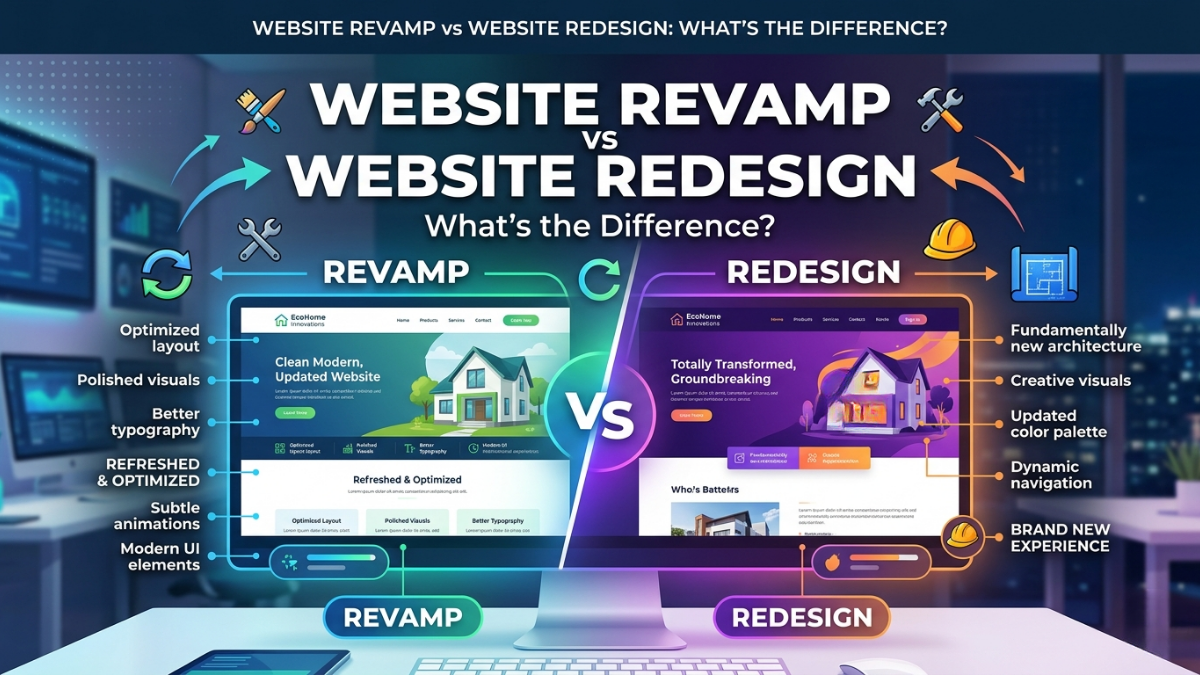
Are you confused about whether to revamp your site or go for a complete redesign? You're not alone.
Introduction
Understanding the nuances of website updates can be a game changer for your online presence. Are you confused about whether to revamp your site or go for a complete redesign? You're not alone.
Both processes aim to enhance user experience and improve performance, but they approach these goals differently. A website revamp focuses on updating certain elements—like content, images, or SEO—to refresh your site without changing its overall structure. In contrast, a website redesign often involves a complete overhaul, rethinking the layout, navigation, and sometimes even the brand identity.
Consider these key points:
- Revamp: Quick updates to improve engagement and SEO.
- Redesign: A holistic approach that can change everything from navigation to branding elements.
For instance, a small business might only need a revamp to update product images and tweak copy, while a growing brand may opt for a redesign to better reflect its evolving identity.
As you read on, you’ll discover when to choose each option and how to execute them effectively.
Understanding Website Revamp
A website revamp focuses on improving specific elements of an existing site to enhance functionality, user experience, or performance without fundamentally changing the overall design or structure. It's about optimizing what already exists rather than starting from scratch.
Key aspects of a website revamp include:
- Content Updates: Refreshing text, images, and multimedia to align with current branding and messaging. For example, a local coffee shop might update its menu page to include seasonal offerings.
- Performance Enhancements: Improving loading speeds and mobile responsiveness. A case study showed that a revamp led to a 30% increase in user retention for an e-commerce site.
- SEO Optimization: Revising meta tags, headings, and alt texts to boost search engine visibility.
- User Experience (UX) Improvements: Tweaking navigation or layout based on user feedback.
Pro Tip: Regularly assess your website’s analytics to identify areas needing improvement. Even small tweaks can lead to significant user engagement and satisfaction.
Website Revamp Meaning
A website revamp refers to significant updates and improvements made to an existing website without completely overhauling its core structure. This process focuses on enhancing functionality, usability, or aesthetics while maintaining the original site’s framework and content.
Key aspects of a website revamp include:
- Enhanced User Experience (UX): Improving navigation, loading speeds, and mobile responsiveness can lead to higher user satisfaction.
- Updated Visuals: Refreshing graphics, typography, and colors to align with current design trends.
- SEO Optimization: Tweaking on-page elements like meta tags and content for better search engine visibility.
For instance, a small e-commerce site might revamp its checkout process to reduce cart abandonment rates. After implementing a more intuitive flow and adding trust signals, sales increased by 30% within three months.
Pro Tip: Regularly assess your website’s analytics to identify areas needing improvement. Small, strategic changes can lead to significant enhancements in user engagement and retention.
Benefits of a Website Revamp
Revamping a website can bring numerous benefits that directly impact user experience and business growth. Here are some key advantages:
- Improved User Experience: A fresh layout and updated features can make navigation easier. For example, a local bakery revamped its website and saw a 30% increase in online orders within a month due to enhanced usability.
- Better SEO Performance: Updating content and optimizing for mobile can boost your search engine rankings. According to a 2024 survey by Statista, websites that undergo regular updates see a 50% increase in organic traffic.
- Enhanced Brand Image: A modernized website reflects current trends and helps establish credibility. A tech startup that revamped its site reported a significant uptick in partnership inquiries and client trust.
- Increased Conversion Rates: A streamlined site can lead to higher conversion rates. For instance, an e-commerce site that revamped its checkout process achieved a 20% reduction in cart abandonment rates.
Pro Tip: Regularly assess your website’s analytics to identify areas needing improvement. Small tweaks can lead to substantial gains over time.
Understanding Website Redesign
Understanding a website redesign involves recognizing the fundamental changes made to improve its overall performance and user experience. It’s not just about aesthetics; it’s about functionality, usability, and aligning with business goals.
Key aspects of a website redesign include:
- User Experience (UX): Enhancing navigation and making the site more intuitive can significantly impact user retention. For example, a clothing retailer that simplified their checkout process saw a 30% increase in completed purchases.
- Visual Design: Updating the visual appeal can reflect your brand's evolution. A tech startup may shift from a cluttered layout to a minimalist design, which can project innovation and modernity.
- Responsive Design: With a growing number of users accessing websites via mobile devices, ensuring that your site is responsive is crucial. According to a 2024 survey by Statista, 58% of users are less likely to revisit a site that isn't mobile-friendly.
- SEO Improvements: A redesign is a perfect opportunity to optimize for search engines. Integrating keywords effectively in your new content can boost your visibility.
Pro Tip: Always gather user feedback before and after a redesign to identify pain points and measure improvement.
Website Redesign Meaning
Website redesign refers to the process of fundamentally changing the appearance, structure, and functionality of an existing website. Unlike a revamp, which may involve superficial updates, a redesign aims to enhance user experience and improve site performance.
Key elements of website redesign include:
- Visual Overhaul: Updating the layout, colors, and graphics to create a modern aesthetic.
- User Experience (UX) Enhancements: Streamlining navigation and making it easier for visitors to find information.
- Technical Improvements: Implementing new technologies or platforms to boost speed and responsiveness, such as switching to a mobile-first design.
For example, a small e-commerce store might undergo a redesign to address high cart abandonment rates. By simplifying the checkout process and improving site speed, they could potentially increase conversion rates significantly.
Pro Tip: Before starting a redesign, conduct user testing to identify pain points and gather feedback on what changes would most benefit your audience. This ensures the redesign aligns closely with user needs and preferences.
Benefits of a Website Redesign
Redesigning your website can bring a multitude of benefits that enhance both user experience and business performance.
- Improved User Experience: A fresh design can streamline navigation, making it easier for visitors to find what they're looking for. For instance, a local bakery revamped their site, resulting in a 30% increase in online orders due to quicker access to their menu.
- Increased Conversion Rates: A redesign can include optimized call-to-action buttons and better layout, which can lead to higher conversion rates. Companies have reported up to a 50% increase in leads after redesigning with a focus on user behavior.
- Mobile Optimization: With mobile traffic surpassing desktop, ensuring your site is mobile-friendly is crucial. A small retail business found that after making their site responsive, mobile sales increased by 40%.
- SEO Benefits: Search engines love fresh content and improved site structures. A redesign can lead to better indexing and ranking, as shown in a study where companies experienced a jump in organic traffic post-redesign.
Pro Tip: Conduct user testing before launching your redesign to gather feedback and make necessary adjustments. This can help ensure a more user-centric final product.
Key Differences: Website Revamp vs Website Redesign
When considering a website revamp versus a website redesign, it's essential to understand their core differences:
- Scope of Changes:
- A revamp focuses on improving specific elements, such as updating content, enhancing SEO, or refreshing visuals without altering the overall structure. For example, a blog may revamp its articles to be more engaging and optimized for keywords.
- A redesign, on the other hand, involves a complete overhaul of the website's architecture, aesthetics, and user experience. Think of a popular e-commerce site that completely changes its navigation and layout to improve user engagement.
- Goals:
- Revamps aim for incremental improvements. For instance, Pro Tip: If your bounce rate is high, consider revamping your landing pages for better retention.
- Redesigns are strategic moves to better align with business objectives, such as rebranding efforts.
- Time and Cost:
- Revamps are generally less time-consuming and more budget-friendly compared to redesigns. A local restaurant may save costs by opting for a revamp of its site rather than a full redesign.
Understanding these differences can help you choose the right approach based on your goals and resources.
When to Choose a Website Revamp
A website revamp is ideal when your site’s performance is lagging or no longer meets business goals. Consider a revamp if you notice:
- High bounce rates: If users leave your site quickly, it may indicate outdated content or poor user experience.
- Poor SEO performance: Struggling to rank in search engines suggests that your site's structure or content needs overhauling.
- Outdated design: If your site looks outdated or doesn’t align with current branding, it’s time for a refresh.
For example, a local bakery revamped its website after noticing a 30% drop in online orders. By updating the design and optimizing for mobile, they increased engagement and saw a 50% rise in online sales within three months.
Pro Tip: Conduct a website audit to identify specific areas needing improvement. Tools like Google Analytics can help pinpoint user behavior and engagement levels. This data will guide your revamp efforts effectively.
When to Opt for a Website Redesign
When considering a website redesign, several indicators can guide your decision.
- Outdated Design: If your website looks like it belongs to the early 2000s, it's time for a change. A fresh, modern design can enhance user experience and appeal to new visitors.
- Poor Performance: Websites that load slowly or have a high bounce rate may benefit from a redesign. For instance, Company saw a 30% increase in engagement after revamping their site for better performance.
- Brand Evolution: If your brand has undergone significant changes—like a new logo or mission—you might need a redesign to ensure your website reflects your current identity.
- Mobile Compatibility: With over 50% of web traffic coming from mobile devices, a redesign focused on mobile responsiveness is crucial if your site isn't optimized for smaller screens.
- User Feedback: Negative feedback or confusion regarding navigation or layout can signal a need for a redesign. Pro tip: Conduct user testing to gather insights before proceeding.
Assessing these factors can help you determine if a redesign is the right path to improve your online presence.
Redesign vs Rebuild: What's Right for Your Business?
The decision to redesign or rebuild your website depends largely on your current needs and future goals.
- Redesign: This is ideal if you want to refresh your brand's look without altering the underlying structure. It's a great option if you have a solid foundation but need to update the aesthetics or improve user experience. For instance, a local bakery may choose a redesign to incorporate vibrant images of their new pastries and adjust the layout for mobile viewing.
- Rebuild: Opt for a rebuild when your website is outdated, underperforming, or not meeting business objectives. This is a chance to start fresh, often involving a new platform or improved functionalities. For example, an e-commerce site facing slow load times might rebuild to enhance speed and incorporate better security measures.
Pro Tip: Conduct a thorough analysis of your website’s performance metrics before deciding. Tools like Google Analytics can provide insights into user behavior, helping determine whether a redesign or rebuild aligns with your strategic goals.
Conclusion
Understanding the distinction between a website revamp and a redesign is crucial for making informed decisions about your online presence. Both approaches aim to enhance user experience, but they serve different purposes and involve varying degrees of effort.
Key Takeaways:
- Website Revamp: Focused on updating content, improving SEO, and enhancing functionality without a complete overhaul.
- Website Redesign: Involves a comprehensive change in layout, design, and user experience, often requiring significant resources.
Pro Tip: Before deciding, assess your goals. If your content is outdated but your design is functional, a revamp may suffice. However, if user engagement is low due to poor design, consider a full redesign.
Case Study: A small e-commerce site that focused on a revamp saw a 30% increase in traffic after updating product descriptions and improving site speed. Conversely, a tech startup that underwent a redesign reported a 50% rise in user retention due to a more intuitive interface.
Ultimately, choose the approach that aligns with your business objectives and user needs, ensuring that your website remains relevant and effective.
1: What is the difference between a website revamp and website redesign?
A website revamp improves specific elements of an existing website, while a redesign involves major changes to its layout, structure, appearance, and functionality.
2: When should a business choose a website revamp?
A business should choose a revamp when its website needs updated content, better speed, improved SEO, or small design improvements.
3: When is a complete website redesign necessary?
A complete redesign may be necessary when the website has outdated technology, poor navigation, an old visual identity, or major usability problems.
4: Which is more cost-effective: website revamp or redesign?
A website revamp is generally more affordable because it involves smaller changes, while a complete redesign requires more time and resources.
5: Does website revamping or redesigning improve SEO?
Both can improve SEO when they include better content, mobile responsiveness, page speed, technical improvements, and proper URL management.
About the author

Santosh Shet
Santosh Shet is the Founder of Appyminds and a technology entrepreneur with over 20 years of experience in software development, web applications, mobile apps, AI solutions, and business automation. He helps businesses transform ideas into scalable digital products through modern web development, mobile applications, intelligent automation, and AI-powered solutions. Santosh regularly writes about artificial intelligence, software development, digital transformation, SaaS products, and emerging technology trends.