Mobile App Accessibility: A Practical Development Checklist
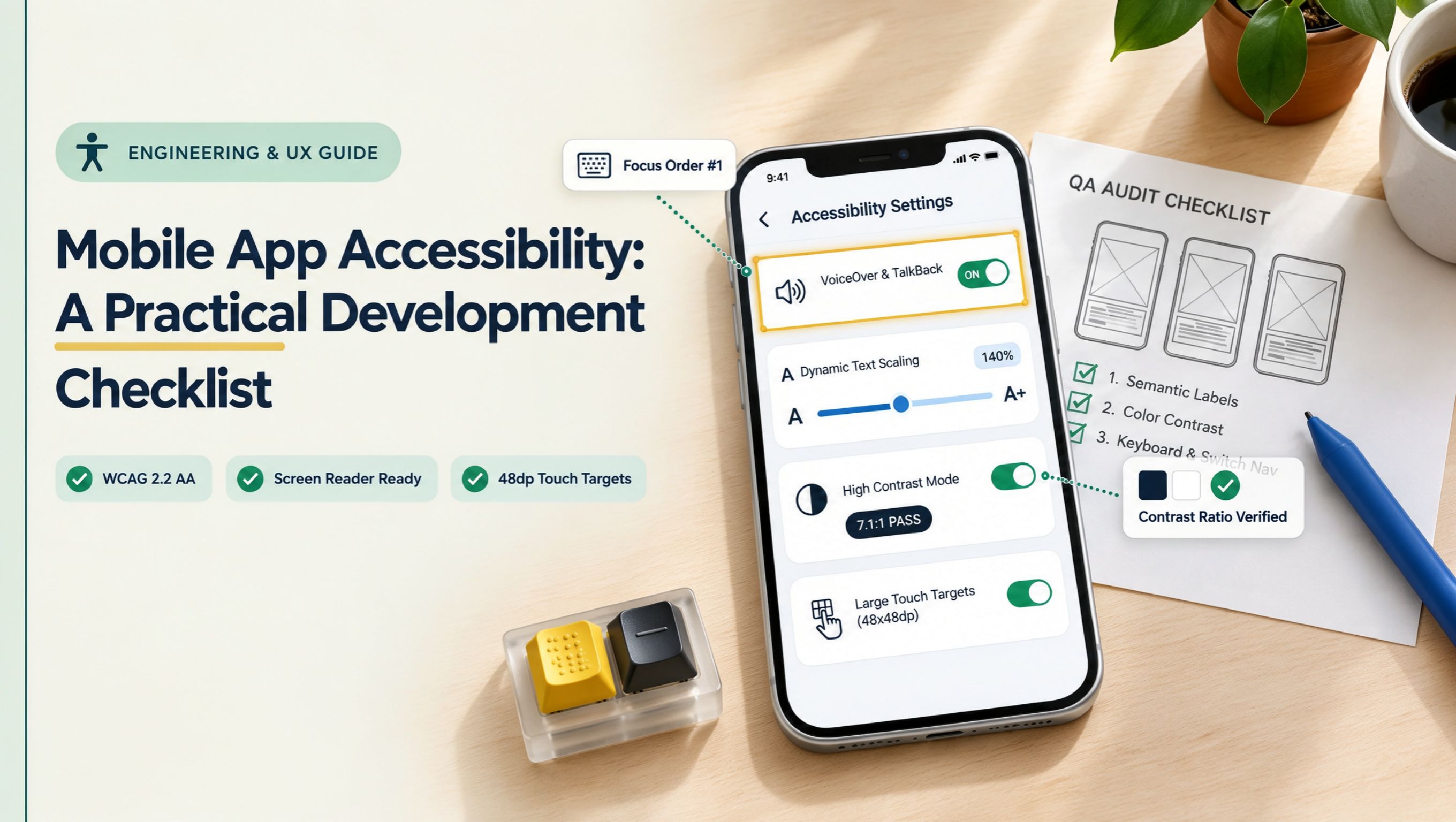
Explore a practical mobile app accessibility checklist covering screen reader support, colour contrast, touch targets, navigation, readable text, and accessibility testing for Android and iOS apps.
Introduction
In today's digital landscape, ensuring that your mobile app is accessible is not just a best practice—it's a necessity. With over 1 billion people globally living with disabilities, making your app inclusive can significantly broaden your user base and enhance user satisfaction.
Accessibility in mobile apps means designing features that cater to everyone, regardless of their physical or cognitive abilities. Consider how apps like VoiceOver on iOS or TalkBack on Android empower users with visual impairments to navigate their devices effortlessly. These tools highlight the importance of integrating accessibility from the start.
To help developers create more inclusive apps, we’ve compiled a practical checklist covering essential accessibility features. From color contrast and font size to touch target dimensions, each element plays a critical role in user experience.
Pro Tip: Test your app with real users who have disabilities. Their feedback can reveal insights that automated tools often miss. By prioritizing accessibility, you not only comply with legal standards but also foster a positive brand image and increase engagement.
Understanding Mobile App Accessibility
Mobile app accessibility ensures that everyone, including individuals with disabilities, can use and enjoy mobile applications. Understanding its significance is essential for developers aiming to create inclusive experiences.
- Visual impairments: Apps should support screen readers and provide text alternatives for images. For instance, using ARIA (Accessible Rich Internet Applications) roles can enhance the experience for visually impaired users.
- Hearing impairments: Incorporate captions for audio content. A study from the World Health Organization highlights that over 5% of the world’s population has disabling hearing loss, making this feature crucial.
- Motor impairments: Ensure that app interfaces are navigable via touch and keyboard inputs. Including larger touch targets can significantly enhance usability for users with limited dexterity.
Pro tip: Regularly test your app with real users from diverse backgrounds, including those with disabilities. Incorporate their feedback into your development process to refine accessibility features. By prioritizing accessibility, you not only comply with legal standards but also improve overall user satisfaction and engagement.
Why Mobile App Accessibility Matters
Mobile app accessibility is crucial for ensuring that everyone, including those with disabilities, can use your app effectively. It not only enhances user experience but also broadens your audience reach.
- Inclusivity: Making apps accessible means you cater to users with varying abilities. For instance, incorporating voice commands can assist visually impaired users, while adjustable text sizes help those with low vision.
- Legal Compliance: Many countries have regulations, like the Americans with Disabilities Act (ADA) in the U.S., that mandate accessibility. Non-compliance can lead to lawsuits, which can be both costly and damaging to your brand.
- Market Growth: According to a 2024 survey by Statista, over 15% of the global population lives with some form of disability. By prioritizing accessibility, you tap into a significant market segment that is often overlooked.
- User Retention: Accessible apps tend to have higher user satisfaction rates. For example, a well-known social media platform saw a 20% increase in user engagement after implementing accessibility features.
Pro Tip: Conduct regular usability testing with individuals who have disabilities to identify areas for improvement in your app’s accessibility.
Legal and Ethical Considerations
When developing mobile apps, understanding legal and ethical considerations is crucial. Accessibility laws often vary by region, so it's essential to be aware of regulations like the Americans with Disabilities Act (ADA) in the United States or the Equality Act in the UK. Non-compliance can lead to lawsuits and damage to your brand’s reputation.
- Conduct Accessibility Audits: Regularly evaluate your app’s accessibility features. Tools like WAVE or Axe can help identify issues.
- Engage Users: Involve people with disabilities in your testing process to gain insights that automated tests might miss. For example, a local bakery app improved its user experience dramatically after feedback from visually impaired users.
Ethically, providing equal access to technology fosters inclusivity. Brands that prioritize accessibility not only enhance user experience but also expand their audience. Pro tip: Consider adopting the Web Content Accessibility Guidelines (WCAG) as a standard for your app development to ensure ethical compliance and enhance usability for all users.
Key Principles of Accessible Mobile App Development
- User-Centric Design: Always prioritize the needs of your users. Consider involving individuals with disabilities during the design phase. Their feedback is invaluable in creating an inclusive experience.
- Visual Elements: Use high-contrast colors and readable fonts. For instance, a light text on a dark background often works better for users with visual impairments. Ensure all images have alt text that describes the content.
- Navigation: Simplify navigation with clearly labeled buttons and logical flow. Users should be able to move through the app using intuitive gestures. A case study from a leading app developer showed that reducing steps for common tasks increased user retention by 25%.
- Voice Commands: Integrate voice recognition to assist users who may have difficulty with touch inputs. Pro tip: Use familiar commands to ensure ease of use.
- Feedback Mechanisms: Provide immediate feedback for user actions—like confirmations for button presses or progress indicators during loading. This helps users understand their interactions better.
- Testing Across Devices: Conduct accessibility testing on various devices and platforms. According to a 2024 survey by Statista, nearly 40% of users reported issues on different devices, highlighting the need for comprehensive testing.
Perceivable: Ensuring Content is Available to All Senses
Ensuring that content is perceivable is vital for inclusivity in mobile app design. how to make sure all users can access your app's content effectively:
- Text Alternatives: Provide alt text for images and non-text content. For instance, if your app features a logo, describe its appearance and purpose in the alt text.
- Color Contrast: Implement sufficient contrast ratios between text and background. Tools like the WebAIM Color Contrast Checker can help you ensure that your app meets the WCAG 2.1 guidelines.
- Audio and Video Content: Always include captions for videos and transcripts for audio. For example, if your app has a tutorial video, make sure users can read the steps alongside the visuals.
- Responsive Design: Ensure your app adapts to various screen sizes and orientations. Test on multiple devices to ensure that no content is cut off or difficult to read.
Pro Tip: Regularly gather user feedback from people with disabilities. Their insights can lead to practical adjustments that enhance perceivability in your app.
Operable: Facilitating Easy Navigation and Interaction
Ensuring operability in mobile app design is crucial for users with diverse abilities. Here are key strategies to facilitate easy navigation and interaction:
- Touch Targets: Make touch targets at least 44x44 pixels to ensure users can easily tap buttons and links without error. Larger targets reduce frustration, especially for users with motor impairments.
- Keyboard Navigation: Enable full keyboard accessibility for users who rely on assistive technologies. This includes ensuring that all interactive elements can be accessed using a keyboard alone.
- Consistent Layout: Maintain a consistent navigation structure throughout the app. Predictability helps users, especially those with cognitive disabilities, understand where to find information.
- Feedback Mechanisms: Provide clear feedback upon user interactions, such as button clicks or form submissions. For instance, a subtle color change on button press can reassure users that their action was registered.
- Pro Tip: Conduct usability testing with individuals who use assistive technologies. Their insights can pinpoint navigation issues that might not be apparent to typical users.
By implementing these practices, you enhance the user experience for everyone, ensuring your app is accessible and user-friendly.
Understandable: Creating Intuitive and Predictable Interfaces
Creating intuitive and predictable interfaces is crucial for mobile app accessibility. Users should easily navigate without confusion or requiring extensive instruction.
- Consistency is Key: Use familiar design patterns. For instance, placing navigation menus at the bottom of the screen aligns with common mobile app conventions, which helps users feel at home quickly.
- Clear Labels: Ensure that buttons and actions are clearly labeled. For example, instead of "Submit," use "Submit Application" to provide context and clarity.
- Feedback Mechanisms: Implement immediate feedback for user actions. If a user presses a button, show a loading spinner or highlight the button to indicate that their action is being processed.
- Logical Flow: Organize information in a way that mirrors user expectations. For example, group related tasks together, such as placing a profile edit function directly after account settings.
Pro Tip: Conduct usability testing with diverse user groups. This can reveal how intuitive your design is across various demographics, ensuring accessibility remains a top priority.
By focusing on these aspects, you can create an app that not only meets accessibility standards but also enhances the overall user experience.
Robust: Supporting Assistive Technologies
To ensure mobile apps are truly accessible, developers must design with assistive technologies in mind. These technologies, such as screen readers and voice recognition software, help users with disabilities navigate and interact with apps seamlessly.
- Screen Readers: Ensure that all elements are properly labeled with meaningful text. For example, using
altattributes for images allows screen readers to convey the purpose of each image to visually impaired users. - Keyboard Navigation: Many users rely on keyboard navigation rather than touch. Implement logical tab orders and ensure all interactive elements are accessible via keyboard shortcuts.
- Voice Control Compatibility: Integrating voice commands can enhance accessibility for users with limited mobility. Test your app with voice control to confirm that all functions are operable through spoken commands.
Pro Tip: Regularly conduct usability testing with people who use assistive technologies. Their feedback can uncover accessibility challenges that may not be apparent to developers or testers without disabilities.
By supporting assistive technologies, not only do you enhance your app's usability, but you also expand your audience, making your product more inclusive and compliant with accessibility standards.
Creating a Mobile App Accessibility Checklist
- Keyboard Navigation: Ensure that all interactive elements can be accessed via keyboard alone. This is crucial for users with mobility impairments. Pro tip: Use the
tabindexattribute to control the tab order effectively. - Color Contrast: Maintain a minimum contrast ratio of 4.5:1 between text and background colors. Use tools like the WebAIM Contrast Checker to test your designs.
- Text Resizing: Allow users to resize text up to 200% without loss of content or functionality. This helps visually impaired users read more comfortably. For example, consider responsive design practices.
- Alternative Text: Provide descriptive alt text for all images. This is essential for screen reader users. For instance, instead of "image1.jpg", use "A sunset over the mountains with soft pink clouds."
- Voice Commands: Integrate voice command features for navigation, catering to users who may find touch interactions challenging. Case study: An app for visually impaired users successfully increased engagement by including voice navigation.
- Feedback Mechanisms: Incorporate clear error messages and feedback for user actions. Ensure that prompts are readable and understandable, enhancing the overall user experience.
- Testing with Real Users: Conduct usability testing with individuals who have disabilities. Their insights will help you refine accessibility features and identify any overlooked issues.
Design Considerations for Accessibility
- Color Contrast: Ensure that text contrasts sharply with the background. Use tools like the WebAIM contrast checker to confirm ratios meet WCAG standards (4.5:1 for normal text). For instance, avoid light gray text on a white background.
- Text Resizing: Allow users to resize text without breaking the layout. Test your app’s responsiveness when text is increased up to 200% to ensure readability remains intact.
- Touch Targets: Design buttons and interactive elements with a minimum size of 44x44 pixels to accommodate users with varying dexterity. For example, the popular dating app Bumble increased its button sizes after user feedback highlighted difficulty in selection.
- Keyboard Navigation: Ensure that all interactive elements can be accessed via keyboard navigation. This is crucial for users who cannot use touch screens.
- Alternative Text: Provide descriptive alternative text for images and icons. A study revealed that apps with clear image descriptions significantly enhanced user satisfaction among visually impaired users.
- Feedback Mechanisms: Implement haptic feedback and sound cues for actions. Pro tips: Use subtle vibrations for button presses, which can help users with cognitive disabilities identify interactions confidently.
Conclusion
Ensuring mobile app accessibility is not just a regulatory requirement; it enhances user experience and broadens your audience. By following the practical checklist outlined in this blog, developers can create more inclusive applications.
Key Takeaways:
- Use Semantic HTML: Properly structured content helps screen readers interpret your app correctly.
- Color Contrast: Ensure text is readable against backgrounds. A contrast ratio of at least 4.5:1 is recommended.
- Keyboard Navigation: Provide full functionality without needing a touchscreen. This aids users with motor disabilities.
- Alt Text for Images: Include descriptive text for all images, ensuring visually impaired users understand the visual content.
Pro Tip: Regularly test your app with real users who have disabilities. For instance, consider collaborating with organizations like the National Federation of the Blind for feedback.
By prioritizing accessibility, you not only comply with standards but also foster loyalty among diverse user groups. Start implementing these insights today to make your app a more welcoming space for everyone.
About the author

Santosh Shet
Santosh Shet is the Founder of Appyminds and a technology entrepreneur with over 20 years of experience in software development, web applications, mobile apps, AI solutions, and business automation. He helps businesses transform ideas into scalable digital products through modern web development, mobile applications, intelligent automation, and AI-powered solutions. Santosh regularly writes about artificial intelligence, software development, digital transformation, SaaS products, and emerging technology trends.