How Online Signature Software Can Streamline Your Business Workflow
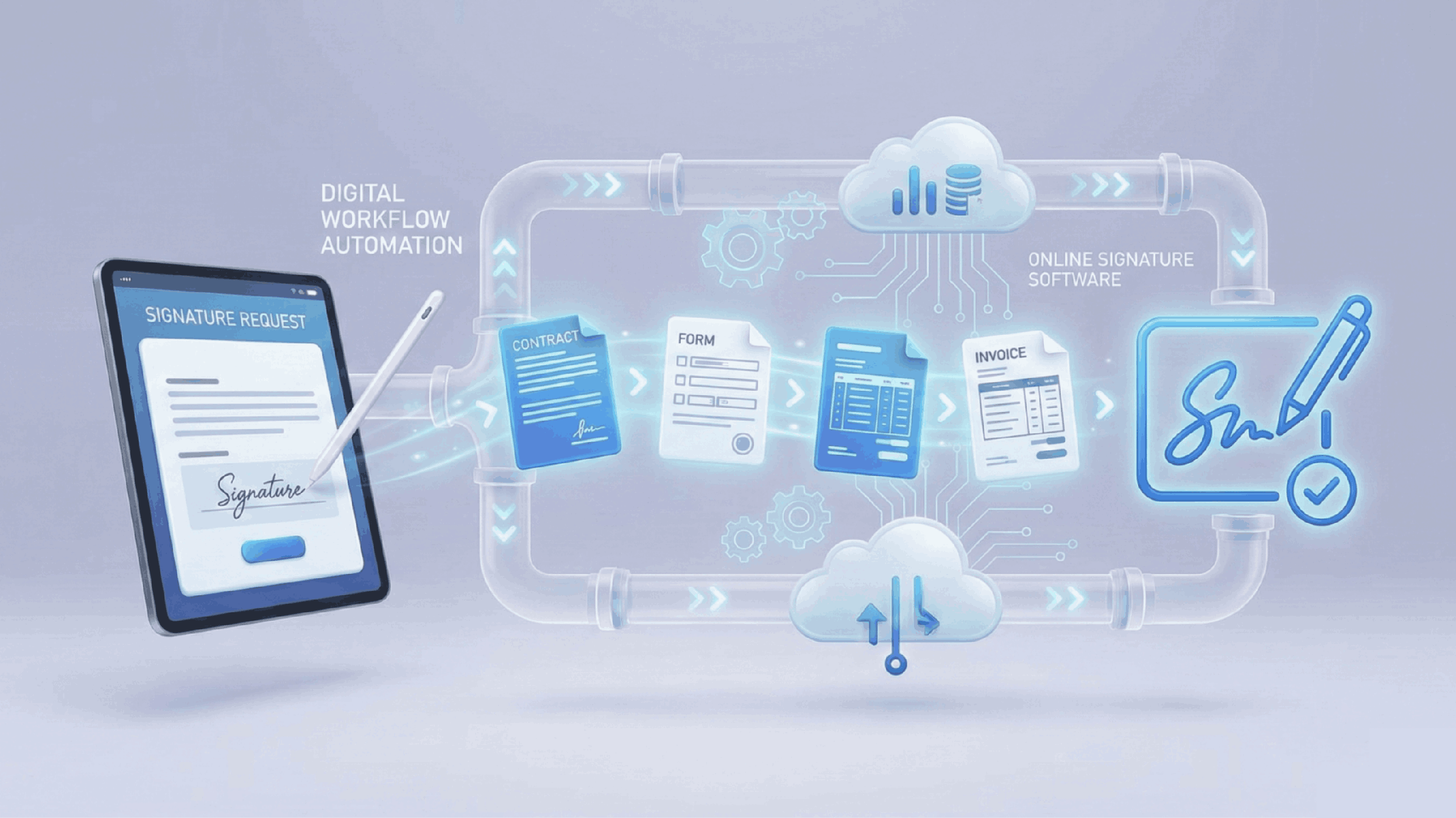
Online signature software streamlines workflows by eliminating the need to print, sign, and scan documents. As remote work grows, businesses use digital signatures to save time and boost security. A real estate agency cut deal-closing time by 60% after adopting these tools. With features like templates and mobile access, e-signatures can greatly improve productivity.
Understanding Online Signature Software
Online signature software enables businesses to digitally collect signatures on documents, streamlining the signing process. This technology is becoming increasingly essential, especially in remote work environments.
Key benefits include:
- Time Saving: Eliminate the need for printing, signing, and scanning documents, allowing for quicker turnaround times.
- Increased Security: Digital signatures often come with encryption, making documents more secure compared to traditional methods.
- Eco-Friendly: Reduces paper usage, which contributes to sustainability efforts.
For example, a small marketing agency implemented online signature software and reported a 70% reduction in document turnaround times. Clients appreciated the convenience, leading to higher satisfaction rates.
Pro Tip: Look for software that integrates with existing tools like CRM systems or project management platforms to further enhance workflow efficiency. According to a 2024 survey by Statista, businesses utilizing such software saw an average increase of 40% in operational efficiency.
What is Online Signature Software?
Online signature software allows individuals and businesses to sign documents electronically, eliminating the need for physical signatures. This technology streamlines the signing process, making it more efficient and secure.
Key features of online signature software include:
- Ease of Use: Users can sign documents with just a few clicks, either by drawing their signature or typing it out.
- Legality: Most online signatures comply with international law, including the U.S. ESIGN Act and the EU eIDAS Regulation.
- Integration: Many platforms integrate seamlessly with popular applications such as Google Drive, Dropbox, and CRM systems.
For example, a small marketing agency could use online signature software to quickly obtain client approvals for project proposals. By sending documents through the platform, they reduce turnaround time from days to mere hours.
Pro Tip: Consider using a software that offers templates for frequently used documents. This can save time and ensure consistency across your business operations.
Key Features of Online Signature Tools
- Ease of Use: Most online signature tools feature intuitive interfaces that allow users to create, send, and manage documents effortlessly. For instance, DocuSign has a drag-and-drop feature that makes it easy to add signature fields.
- Legally Binding Signatures: Online signatures are legally recognized in many jurisdictions. Tools like Adobe Sign ensure compliance with e-signature laws, increasing trust in your digital transactions.
- Integration Capabilities: Many signature tools integrate seamlessly with popular business applications such as Google Workspace and Salesforce. This streamlines the workflow by enabling users to send documents directly from these platforms.
- Mobile Access: With mobile apps available, users can sign and send documents on-the-go. Companies like HelloSign offer mobile-friendly interfaces that enhance productivity for remote teams.
- Tracking and Notifications: Signature tools provide real-time notifications and tracking features that allow users to monitor the status of documents. For example, SignNow sends alerts when a document is viewed or signed, ensuring timely follow-ups.
- Pro Tip: Utilize templates to save time on frequently used documents. Creating reusable templates in platforms like PandaDoc can significantly speed up the signing process.
Benefits of Streamlining Business with Online Signatures
Streamlining your business with online signatures offers several significant advantages:
- Enhanced Efficiency: Online signatures eliminate the need for printing, signing, and scanning documents. For example, a small marketing agency reduced document turnaround time from days to hours, allowing them to close deals faster.
- Cost Savings: By going paperless, businesses can cut costs on printing and shipping. Companies like XYZ Corp saved approximately $5,000 annually after switching to online signature solutions.
- Improved Security: Digital signatures come with encryption and authentication features that ensure the integrity of your documents. This added layer of security is vital for sensitive contracts and agreements.
- Easy Compliance: Many online signature platforms comply with global regulations like the ESIGN Act and eIDAS, ensuring that your agreements hold legal weight. This compliance simplifies the signing process across different jurisdictions.
- Better Tracking: Most online signature tools offer tracking capabilities, allowing you to see when documents are opened and signed. This transparency helps in managing deadlines and accountability.
Pro Tip: Look for platforms that integrate seamlessly with your existing tools, like CRM software, to further streamline your workflow.
Improved Efficiency and Productivity
- Online signature software dramatically reduces the time spent on document management. By automating the signing process, businesses can eliminate delays caused by printing, scanning, and mailing documents.
- For example, a small marketing agency switched to online signatures and reported a 50% reduction in the time it took for clients to sign contracts. This allowed them to onboard new clients quickly, enhancing overall productivity.
- With features like automated reminders and tracking, teams can stay organized and ensure that documents are signed promptly. This level of efficiency can lead to faster project completion and improved client satisfaction.
Pro Tip: Integrate your signature software with existing tools like CRM systems or project management platforms. This creates a seamless workflow, further enhancing productivity.
- Additionally, online signatures minimize errors often associated with manual processes, such as missing signatures or incorrect dates. Fewer errors mean fewer revisions, which translates into time saved.
By streamlining these processes, businesses not only increase efficiency but also free up valuable time and resources for more critical tasks.
Enhanced Security and Compliance
Using online signature software enhances security and compliance, crucial for any business handling sensitive documents. Digital signatures are not only legally binding but also offer a higher level of security compared to traditional methods.
- Encryption: Most online signature platforms use encryption protocols to protect your documents during transmission and storage. This ensures that only authorized personnel can access sensitive information.
- Audit Trails: These tools provide detailed audit trails, showing who signed the document, when, and from which IP address. This feature is vital for compliance with regulations like GDPR and HIPAA.
For example, a financial services company reported a 30% reduction in compliance-related issues after switching to an online signature solution. They appreciated the ability to track document status in real-time and maintain comprehensive records.
Pro Tip: Always choose a provider that complies with relevant regulations in your industry. Look for certifications like eIDAS in the EU or ESIGN in the U.S. to ensure your documents meet legal standards.
Cost Savings and Environmental Impact
The adoption of online signature software significantly reduces operational costs and positively impacts the environment. By minimizing paper usage, businesses can lower expenses related to printing, storage, and postage.
- Cost Savings:
- Companies can save an average of $20 per document by eliminating paper and physical processing (according to a 2024 survey by Statista).
- For example, a mid-sized firm processing 1,000 contracts per year could save $20,000 annually.
- Environmental Impact:
- Using digital signatures helps reduce paper waste, contributing to a decrease in deforestation and landfill overflow.
- Businesses adopting eco-friendly practices often experience enhanced brand reputation among environmentally conscious consumers.
Pro Tip: Track your savings and environmental impact metrics regularly. Use them in marketing materials to showcase your company's commitment to sustainability. By combining cost efficiency with eco-friendly practices, you not only streamline workflows but also appeal to a growing demographic that values corporate social responsibility.
Implementing Online Signature Software in Your Business
Implementing online signature software in your business can be a straightforward process that yields significant benefits. Start by assessing your needs: consider the volume of documents requiring signatures, the types of agreements you handle, and the level of security required.
- Choose the Right Software: Research various options to find software that fits your needs. Look for features like ease of use, integration capabilities, and compliance with regulations (e.g., GDPR, ESIGN Act).
- Integrate with Existing Systems: Ensure the chosen software can seamlessly integrate with your current workflow tools, such as CRM or project management systems. For instance, integrating with Salesforce can speed up contract approvals.
- Train Your Team: Conduct training sessions to familiarize your staff with the new software. Create a quick reference guide for common tasks.
- Set Up Templates: Save time by creating reusable templates for frequently used documents. This can reduce repetitive tasks and streamline the signing process.
- Monitor and Optimize: After implementation, gather feedback and assess usage. Adjust your processes to maximize efficiency—consider using analytics to track turnaround times.
Pro tip: Start with a pilot program involving a small team to identify potential challenges before a full rollout.
Choosing the Right Software for Your Needs
When selecting the right online signature software, consider these key factors:
- User Interface: Opt for a platform that is intuitive and easy to navigate. A clean design reduces the learning curve for team members. For instance, DocuSign is noted for its user-friendly interface, making it popular among small businesses.
- Integration Capabilities: Ensure the software integrates well with existing tools like CRM systems, project management apps, and document storage solutions. HelloSign is compatible with Google Drive and Dropbox, streamlining document flow.
- Customization Options: Look for features that allow you to tailor templates and workflows to fit your business needs. For example, Adobe Sign lets users create custom branding on documents, enhancing professionalism.
- Security Features: Prioritize platforms that offer robust security measures, such as two-factor authentication and encryption, to protect sensitive information. SignNow provides advanced security options, ensuring compliance with industry standards.
Pro Tip: Before committing, take advantage of free trials to test usability and features firsthand. This ensures you choose the software that best fits your team's workflow.
Integrating with Existing Systems
Integrating online signature software with your existing systems can significantly enhance your workflow efficiency. Seamless integration can save time and reduce errors, as documents can be signed directly from your current platforms.
- CRM Integration: Linking your online signature tool with your Customer Relationship Management (CRM) software can automate contract sending. For example, when a deal is closed in your CRM, the contract can be sent for signing without additional manual steps.
- Cloud Storage Compatibility: Ensure your signature software integrates with cloud storage solutions like Google Drive or Dropbox. This allows easy access to signed documents and streamlined file management.
- API Utilization: If your business has specific needs, consider using APIs to customize interactions between your systems. This can enable features such as real-time status updates for document signing.
Pro Tip: Choose software that offers built-in integrations with tools you already use, such as project management or accounting software. This minimizes disruption and enhances the signing experience for both your team and clients.
According to a 2024 survey by Statista, businesses that effectively integrate their systems report a 30% increase in operational efficiency.
Conclusion
Incorporating online signature software into your business workflow can lead to significant improvements in efficiency and productivity. By eliminating the delays associated with traditional signing methods, you can focus more on your core business activities.
Key Takeaways:
- Speed Up Processes: Digital signatures can reduce turnaround time from days to mere minutes, allowing for quicker decision-making.
- Enhance Security: Online signature solutions often come with encryption and authentication processes, ensuring sensitive documents remain secure.
- Improve Customer Experience: Clients appreciate the convenience of signing documents from anywhere, leading to higher satisfaction and retention rates.
Pro Tip: Consider platforms like DocuSign or Adobe Sign, which integrate seamlessly with existing systems, thus minimizing disruptions during implementation.
As you move forward, assess your current workflows and identify areas where digital signatures can add value. Embracing this technology not only streamlines operations but also positions your business as innovative and customer-centric. Start exploring options today to stay ahead in the competitive landscape.
1: How does online signature software streamline business workflows?
It automates document signing, reduces manual paperwork, and speeds up approval processes.
2: Which business departments can benefit from online signature software?
Human resources, sales, finance, legal, and customer service departments can benefit from electronic signing solutions.
3: Can online signature software reduce business costs?
Yes. It can reduce printing, paper, storage, and courier expenses.
4: What is automated document signing?
Automated document signing uses software to manage document preparation, sending, notifications, and signature collection with less manual effort.
5: Can online signature software integrate with CRM systems?
Yes. Many platforms provide API integrations that connect document signing with CRM and other business applications.
About the author

Santosh Shet
Santosh Shet is the Founder of Appyminds and a technology entrepreneur with over 20 years of experience in software development, web applications, mobile apps, AI solutions, and business automation. He helps businesses transform ideas into scalable digital products through modern web development, mobile applications, intelligent automation, and AI-powered solutions. Santosh regularly writes about artificial intelligence, software development, digital transformation, SaaS products, and emerging technology trends.