Cloud-Based Signature Software: Why It Matters Today
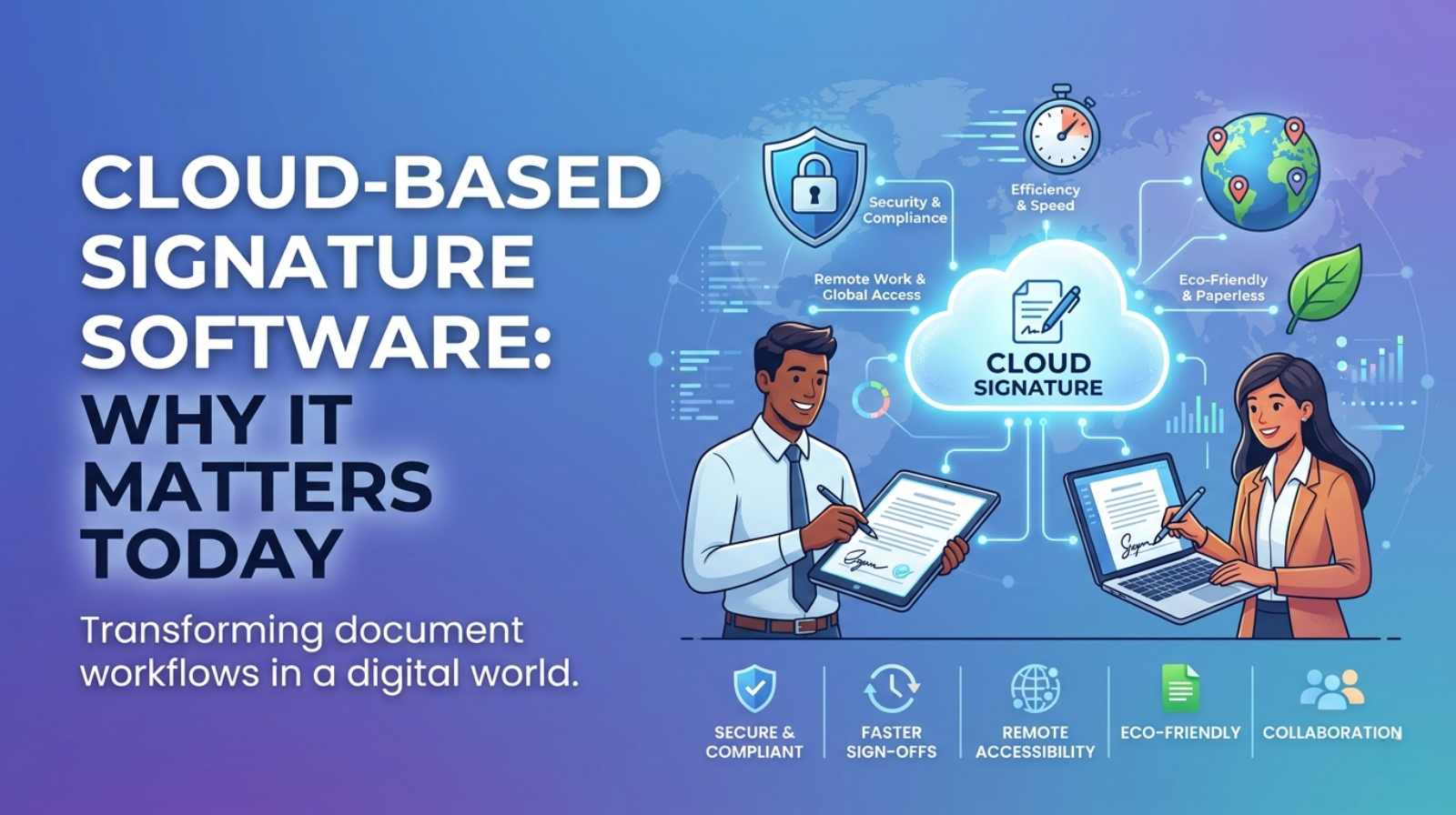
In today’s fast-paced digital world, efficiency and security are more crucial than ever. Cloud-based signature software is transforming how businesses handle agreements, making processes smoother and more reliable.
In today’s fast-paced digital world, efficiency and security are more crucial than ever. Cloud-based signature software is transforming how businesses handle agreements, making processes smoother and more reliable.
As remote work continues to dominate, companies are increasingly shifting to digital solutions. Cloud-based signature tools offer:
- Convenience: Sign documents from anywhere, at any time.
- Speed: Reduce turnaround times from days to minutes.
- Security: Enhanced protection against fraud and unauthorized access.
For instance, a recent case study by TechCrunch revealed that a mid-sized company reduced their contract signing process from five days to mere hours after implementing cloud-based signatures. This not only boosted productivity but also improved client satisfaction.
With the rise of e-commerce and global collaboration, investing in cloud-based signature software is not just a trend; it’s a strategic move. Pro tip: Look for solutions that integrate seamlessly with your existing software to maximize efficiency. The future of business is here, and it’s digital.
Understanding Cloud-Based Signature Software
Cloud-based signature software simplifies the signing process, providing a secure and efficient way to manage documents. Users can sign documents from anywhere, at any time, using any device with internet access. This flexibility is crucial in today’s fast-paced business environment.
Key features of cloud-based signature solutions include:
- Legality: Comply with e-signature laws such as the ESIGN Act and UETA in the U.S.
- Security: Utilize encryption and authentication methods to ensure document integrity.
- Integration: Seamlessly connect with other tools like CRM systems or document management software.
For instance, a small business using cloud-based signature software can streamline its contract process. Instead of printing, signing, and scanning documents, they can send contracts electronically, saving time and reducing paper waste.
Pro Tip: Look for software that offers customizable templates. This can speed up the signing process for frequently used documents and help maintain brand consistency. According to a recent survey by Statista, companies that adopted cloud-based solutions reported a 30% increase in efficiency.
What is Cloud-Based Signature Software?
Cloud-based signature software allows users to sign documents electronically over the internet. This technology streamlines the signing process, enhances security, and improves accessibility for businesses of all sizes.
Key features include:
- Real-Time Collaboration: Multiple parties can sign documents simultaneously, reducing turnaround time.
- Enhanced Security: Documents are encrypted and stored in secure cloud environments, minimizing the risk of tampering.
- Accessibility: Users can sign documents from any device, anywhere, making it perfect for remote teams.
For instance, a mid-sized marketing agency implemented cloud-based signature software and reported a 50% reduction in document turnaround time. They now close deals more quickly, allowing them to focus on client work instead of paperwork.
Pro Tip: Look for software that integrates with your existing tools, like CRM systems or project management software, to create a seamless workflow. According to a recent survey by Statista, businesses that leverage integrated solutions see a 30% boost in productivity.
Benefits Over Traditional Methods
- Speed and Efficiency: Cloud-based signature software significantly reduces the time taken to get documents signed. Traditional methods like printing, signing, scanning, and emailing can take days or even weeks. In contrast, digital signatures can be executed in minutes.
- Cost Savings: By eliminating the need for paper, ink, and postage, businesses can save substantial money. For example, a small business that switches to cloud-based signatures may save hundreds annually in printing and mailing costs.
- Accessibility: Cloud-based solutions allow users to sign documents from anywhere, at any time, using any device with internet access. This flexibility is especially beneficial for remote teams or businesses with clients worldwide.
- Security: Digital signatures come with advanced encryption and authentication features. Unlike traditional signatures, which can be forged, cloud-based solutions often include audit trails and secure storage to protect sensitive information.
- Environmental Impact: Reducing paper usage contributes to sustainability efforts. Companies adopting cloud-based signatures can promote their eco-friendly practices, appealing to environmentally conscious customers.
Pro Tip: Choose a cloud-based signature solution that complies with legal standards in your country to ensure your documents hold up in court.
Key Features of Electronic Signature Software
- User-Friendly Interface: Most electronic signature software features intuitive dashboards that streamline the signing process. For example, DocuSign allows users to drag and drop signatures, making it easy for anyone to use without extensive training.
- Security Features: Advanced encryption and authentication methods protect documents and signatures. Services like Adobe Sign offer multi-factor authentication, ensuring that only authorized users can access sensitive documents.
- Integration Capabilities: Seamless integration with existing applications enhances efficiency. Software like HelloSign connects with platforms such as Google Drive and Salesforce, facilitating a smooth workflow.
- Mobile Compatibility: Many electronic signature solutions are mobile-friendly, allowing users to sign documents on-the-go. For instance, SignNow's app enables users to complete transactions from their smartphones, fitting perfectly into busy lifestyles.
- Audit Trails: Comprehensive tracking features provide transparency and accountability. Users can view a detailed history of who signed a document and when, which is crucial for compliance in industries like finance and healthcare.
Pro Tip: When selecting electronic signature software, consider trial versions to evaluate user experience and integration with your current tools before making a commitment.
Security and Compliance
Ensuring robust security and compliance is critical when adopting cloud-based signature software. With sensitive information flowing through these digital platforms, organizations must prioritize data protection.
- Data Encryption: Look for software that uses end-to-end encryption to safeguard documents from unauthorized access. This ensures that even if data is intercepted, it remains unreadable.
- Compliance Standards: Ensure the platform adheres to relevant regulations such as GDPR, HIPAA, or eIDAS. Compliance not only protects your organization but also builds trust with clients.
For example, a healthcare provider using compliant cloud-based signature software can confidently manage patient consent forms without risking data breaches.
Pro Tip: Regularly review your software’s compliance certifications and update your security protocols as needed. Conducting periodic audits can help identify potential vulnerabilities and ensure continued adherence to security standards.
By prioritizing security and compliance, organizations can leverage the benefits of cloud-based signatures while minimizing risks, ultimately fostering a safer digital environment.
User Experience and Accessibility
User experience (UX) and accessibility are crucial components when choosing cloud-based signature software. A well-designed platform enhances user satisfaction and ensures that everyone can use it, regardless of their abilities.
- Intuitive Design: Look for software with a clean, straightforward interface. For example, DocuSign is known for its user-friendly design, allowing users to sign documents in just a few clicks.
- Mobile Compatibility: Ensure the software works seamlessly on mobile devices. According to a recent survey by Statista, 45% of users prefer signing documents on their smartphones.
- Accessibility Features: Check for features that support individuals with disabilities, such as screen reader compatibility and keyboard navigation. Adobe Sign includes these accessibility options to cater to a broader audience.
Pro Tip: Before committing to a platform, take advantage of free trials. Evaluate the UX and accessibility features firsthand to see if they meet your needs.
Improving user experience and ensuring accessibility not only boosts efficiency but also builds trust with users, leading to higher adoption rates.
Comparing Digital Signature Solutions
When comparing digital signature solutions, consider key factors that impact usability and security.
- Compliance: Ensure the solution meets legal standards such as eIDAS in Europe or ESIGN and UETA in the United States. For instance, DocuSign is widely recognized for its compliance with these regulations.
- User Experience: The interface should be intuitive. Solutions like PandaDoc offer seamless integrations with popular CRM systems, enhancing user efficiency.
- Security Features: Look for multi-factor authentication and encryption. Adobe Sign, for example, employs advanced security measures to protect sensitive documents.
- Integration Capabilities: A good digital signature tool should integrate with your existing software. HelloSign integrates with Google Drive and Slack, making it easier to manage documents in one place.
Pro tip: Always opt for a solution that offers a free trial. This allows you to test functionality and ensure it meets your specific business needs.
Evaluating these aspects helps in selecting a digital signature solution that not only streamlines operations but also enhances document security.
Top Providers in the Market
Several key providers dominate the cloud-based signature software market, each offering unique features to cater to various business needs.
- DocuSign: Renowned for its user-friendly interface, DocuSign is widely adopted across industries. Companies like Salesforce utilize DocuSign for seamless integration, enabling rapid contract execution.
- Adobe Sign: Part of the Adobe Document Cloud, Adobe Sign offers robust solutions for businesses already using Adobe products. A notable case is The University of California, which streamlined its enrollment processes using Adobe Sign.
- HelloSign: Known for its simplicity, HelloSign is ideal for small to mid-sized businesses. Its API capabilities make it a favorite among startups looking to integrate e-signatures into their apps.
- PandaDoc: Beyond just e-signatures, PandaDoc provides document creation tools that enhance sales processes. A marketing agency successfully reduced turnaround times for contracts by 50% using this platform.
Pro tip: When choosing a provider, consider integration capabilities with your existing tools to maximize efficiency and minimize disruption.
Feature Comparison
When comparing cloud-based signature software, several key features stand out that can significantly impact your workflow and productivity.
- Ease of Use: User-friendly interfaces reduce the learning curve. For example, DocuSign allows users to send documents for signature within minutes, making it ideal for small businesses.
- Security Features: Look for platforms that offer encryption and compliance with standards like GDPR and HIPAA. Adobe Sign provides advanced security options, which is essential for industries dealing with sensitive information.
- Integration Capabilities: Seamless integration with other tools (like CRMs or project management software) enhances efficiency. For instance, PandaDoc integrates with Salesforce, streamlining the sales process.
- Mobile Access: A mobile-friendly platform ensures you can get signatures on the go. SignNow's mobile app enables users to sign documents from anywhere, which is a game-changer for remote teams.
- Pricing Models: Compare subscription models to find the best fit for your budget. Some software like HelloSign offers a free tier, perfect for startups or occasional users.
Pro Tip: Always take advantage of free trials to test usability and features before committing to a subscription. This ensures you choose a solution that aligns with your specific needs.
The Role of Cloud Document Management in E-Signatures
Cloud document management systems play a crucial role in streamlining the e-signature process. By integrating these systems with e-signature tools, organizations can enhance efficiency and security in signing documents.
- Centralized Document Storage: Cloud document management allows teams to store all essential documents in one place. This means no more hunting for papers or outdated versions. For example, a real estate agency can access contracts and agreements from anywhere, facilitating faster closings.
- Improved Collaboration: Multiple stakeholders can edit and review documents in real time. This is especially beneficial in industries such as finance, where drafts often need revisions. A 2023 study by Forrester revealed that companies using cloud-based solutions saw a 30% improvement in collaborative workflows.
- Enhanced Security: Cloud services offer robust security features, including encryption and access control. For instance, legal firms can confidently share sensitive contracts knowing that only authorized individuals can sign or view them.
Pro Tip: Always choose a cloud document management system that integrates seamlessly with your e-signature software to maximize efficiency and minimize the risk of errors.
Conclusion
Cloud-based signature software is transforming how businesses manage documents and enhance workflows. As we've explored, the advantages are numerous and impactful.
- Efficiency: Speed up document turnaround times by up to 80% with electronic signatures, as seen in organizations like DocuSign.
- Cost-Effective: Reduce paper, printing, and mailing costs, leading to significant savings—estimates show businesses can save over $20,000 annually by going digital.
- Security: Enjoy advanced security features that protect sensitive data, ensuring compliance with regulations like GDPR and HIPAA.
Pro Tip: Consider integrating cloud-based signature software with existing tools like CRM systems for seamless operations.
In conclusion, adopting cloud-based signature solutions not only streamlines processes but also contributes to a more sustainable business model. As you evaluate options, look for features that align with your specific needs and ensure you stay ahead in this digital era. Embrace the change, and watch your productivity soar!
1: What is cloud-based signature software?
Cloud-based signature software allows users to sign, send, and manage documents electronically through an internet-based platform.
2: What are the benefits of cloud-based signature software?
It improves accessibility, saves time, reduces paperwork, lowers operational costs, and simplifies document management.
3: Is cloud-based signature software secure?
Yes, when it provides encryption, authentication, access controls, and secure document storage.
4: Can businesses access signed documents from anywhere?
Yes. Users can access their documents through supported devices with an internet connection and appropriate login permissions.
5: How does cloud-based signature software improve business productivity?
It reduces manual document handling, speeds up approvals, and allows employees to focus on other important business activities.
About the author

Santosh Shet
Santosh Shet is the Founder of Appyminds and a technology entrepreneur with over 20 years of experience in software development, web applications, mobile apps, AI solutions, and business automation. He helps businesses transform ideas into scalable digital products through modern web development, mobile applications, intelligent automation, and AI-powered solutions. Santosh regularly writes about artificial intelligence, software development, digital transformation, SaaS products, and emerging technology trends.